Digital Hive Record: Notes That Never Get Lost
The digital hive record in Hivekraft replaces paper chaos with a structured overview per colony -- always at hand on your smartphone.
Every beekeeper knows the problem: notes get wet, notebooks stay at home, and after a few weeks you no longer remember which colony had the queen cell. The digital hive record in Hivekraft fundamentally solves this problem. All information about every colony is in one place, available at any time, and searchable.
What Is a Hive Record?
A hive record is the documentation of all relevant data for a single bee colony. In traditional beekeeping, this is a cardboard card or index card hanging at the hive or in the equipment shed. The beekeeper notes observations during each inspection: colony strength, queen spotted, food reserves, notable findings.
The concept is proven -- but the paper implementation has weaknesses:
- Notes get lost or become illegible
- In rain at the bee yard, note-taking is a challenge
- Older entries are hard to find
- Comparisons between colonies or over time periods are tedious
- Sharing with mentors or association colleagues requires copies
The digital hive record in Hivekraft keeps the proven structure but eliminates these limitations.
Structure of the Digital Hive Record
When you open a colony in Hivekraft, you see its hive record. It is divided into several sections:
Colony Info
At the top, you find the basic data of your colony:
- Name: The name or number you assigned
- Apiary: Which bee yard the colony is located at
- Hive type: Dadant, Zander, Langstroth, or others
- Breed: Carnica, Buckfast, Dark Bee, or hybrid
- Status: Active, nucleus, being dissolved, or dissolved
- Created on: When you set up the colony
This data changes rarely but is important for overview -- especially when you have many colonies.
Queen Information
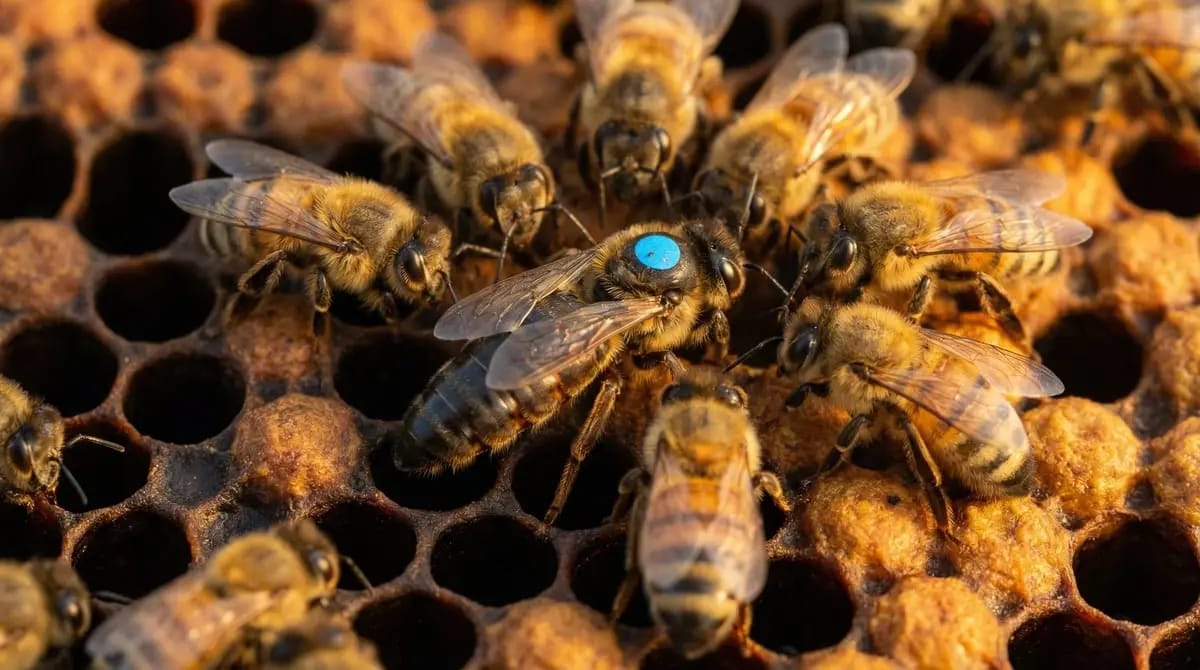
The queen is the heart of the colony. Her hive record section shows:
- Birth year: Automatically determines the international marking color (white, yellow, red, green, blue)
- Marked: Whether the queen is color-marked
- Origin: Own breeding, purchased, swarm, supersedure
- Status: Active, missing, introduced, deceased
- Age: Automatically calculated -- important because queens decline in performance after 2-3 years
The international color marking follows a five-year cycle: White (1/6), Yellow (2/7), Red (3/8), Green (4/9), Blue (5/0). Hivekraft automatically displays the correct color based on the birth year. This way, you can see at a glance whether a queen is the right age.
Health Score
Hivekraft calculates a health score for each colony on a scale from 0 to 100. This value is based on six weighted factors:
- Varroa treatment history (25%)
- Latest inspection results and time interval (20%)
- Queen status and age (15%)
- Food reserves and feedings (15%)
- Swarm risk (15%)
- Weather conditions (10%)
The score is displayed as a traffic light color:
- Green (80-100): Colony is in excellent condition
- Light green (60-79): Colony is in good condition, minor points to note
- Yellow (40-59): Attention required, check individual points
- Red (0-39): Urgent action needed
The health score is based on the data you enter. It does not replace your judgment as a beekeeper but draws your attention to potential problems. A colony that you have not inspected for weeks receives a lower score -- not because it is doing poorly, but because no current data is available.
Last Inspection
The hive record shows a summary of the last inspection:
- Date and weather conditions
- Colony strength and temperament
- Brood findings (eggs, open and capped brood)
- Food and pollen reserves
- Notable observations
- Next planned action
Below that, you find the complete timeline of all previous inspections. This lets you track the colony's development over weeks and months.
Food and Honey Reserves
In the hive record, you can see the estimated reserves you recorded during your inspections. The development of reserves over time helps you feed in time or recognize the optimal harvest moment.
Advantages Over the Paper Hive Record
The digital hive record has tangible advantages that make daily life at the bee yard easier:
Always With You
You have your smartphone in your pocket anyway. The hive record is thus always at hand -- whether at the bee yard, at the association meeting, or on the couch in the evening when you are planning the next inspection.
Searchable
With 5, 10, or more colonies, you quickly lose track on paper. In Hivekraft, you can filter, sort, and specifically search for certain entries. "Which colony had queen cells in May?" is answered in seconds.
Comparable
How has Colony 3 developed compared to last year? Which colony consistently delivers the best harvest? Digital data can be compared -- across time periods, across colonies, across apiaries.
Secure
Paper burns, gets wet, and fades. Your digital hive records are backed up in the cloud. A broken smartphone, a forgotten notebook, or a spilled coffee cannot harm your data.
Shareable
When your beekeeping mentor needs to assess a colony or you have a question about a specific finding at the association, you can show the relevant data directly on screen. No photographing of illegible notes.
Using Hive Records in Daily Practice
- 1
Before the inspection: Prepare
Open the hive record of the colony you are about to inspect. Read the last inspection: What was notable? What had you noted as the next action? This way, you go into the inspection with purpose instead of starting from zero every time.
- 2
During the inspection: Record
Enter your observations directly while you are standing in front of the colony. Hivekraft offers structured fields for inspections -- you do not need to write free-form text but select from predefined options. This saves time and ensures consistent data.
- 3
After the inspection: Evaluate
Back home, you can review the hive records of all colonies, recognize patterns, and plan the next actions. The dashboard overview shows you which colonies need attention.
At the bee yard, you often have gloves on and your hands full. Hivekraft supports voice input: you dictate your observations, and the AI converts them into structured hive record entries. More on this in a later lesson.
From Paper to Digital: Transferring Your Records
You have been beekeeping for a while and have existing paper notes? You do not have to transfer everything at once. A pragmatic approach:
- Set up all current colonies -- name, apiary, hive type, queen info
- Document digitally from now on -- record every new inspection in Hivekraft
- Add old data as needed -- important historical entries (last treatments, queen changes) can be added gradually over time
If you have been managing your colonies in a spreadsheet (Excel, Google Sheets), you can import the data via CSV into Hivekraft. This saves you the manual entry when you have many colonies.
The Hive Record as a Decision-Making Tool
The true power of the digital hive record reveals itself over time. After a season of consistent documentation, you have a data treasure that enables informed decisions:
- Which colonies are worth breeding from? Consistently good health scores, gentle temperament, good harvest
- When is the best harvest time? Year-over-year comparisons show patterns
- Which apiary is best? Compare colony development across different locations
- When do I need to treat? Varroa trends are visible in the inspection data
Knowledge Check
In the next lesson, we cover documenting inspections -- how to quickly, systematically, and completely record what you see during colony checks with Hivekraft.