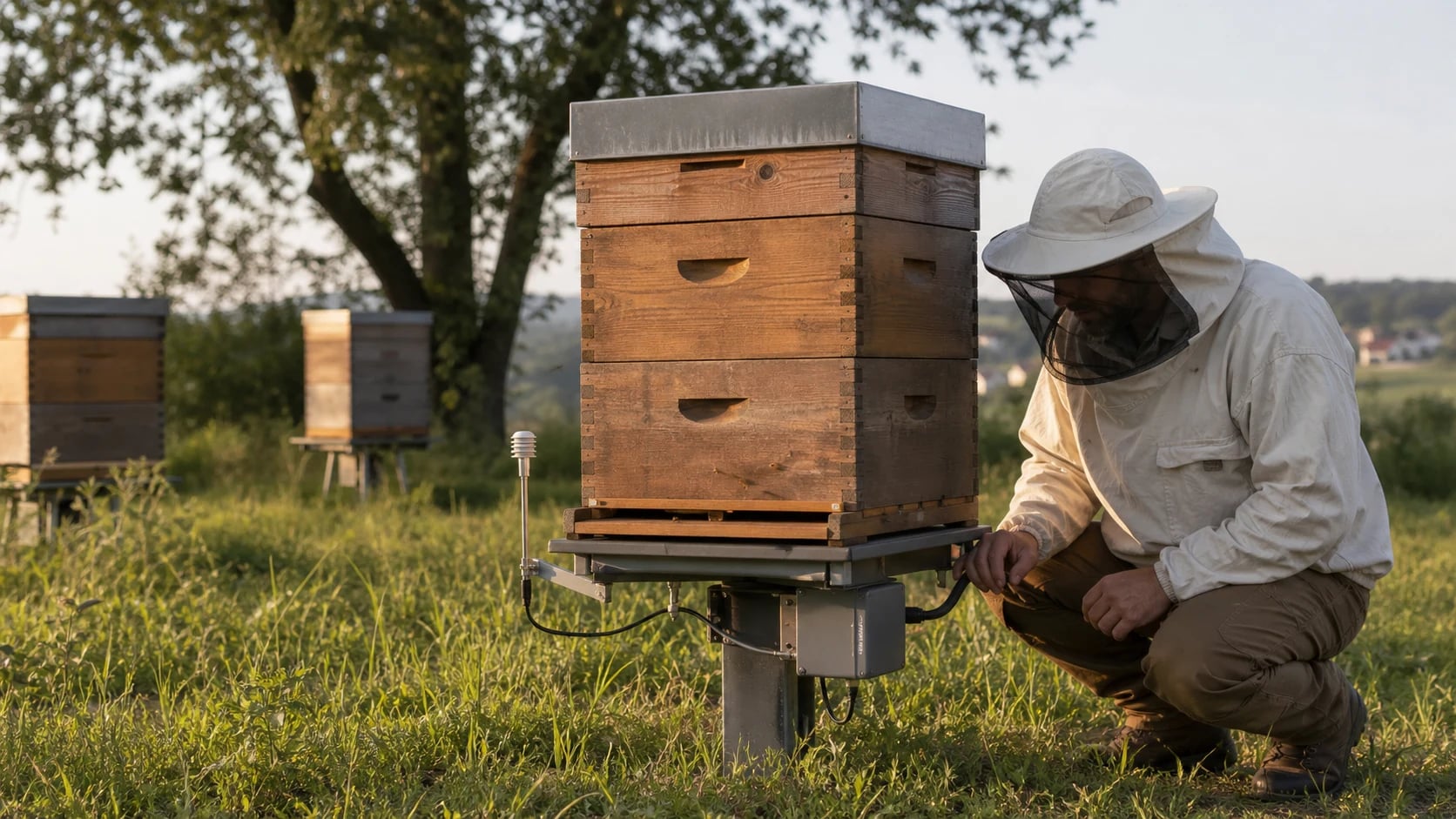
 AI-generated
Automatic Alerts: Never Miss Problems at the Beehive Again
Automatic warnings for swarms, weight loss, or temperature problems: how alert monitoring works in modern beekeeping.
It's Tuesday afternoon, you're at work — and at your apiary, 30 kilometers away, a swarm is just leaving. Or a colony is being robbed. Or the brood nest temperature is dropping because the queen is missing. Without monitoring, you won't find out until the weekend. With automatic alerts, you get a message on your smartphone — the moment it happens.
What Are Automatic Alerts?
Automatic alerts are notifications triggered when certain thresholds are exceeded or undercut. The data comes either from IoT sensors (hive scale, temperature sensor) or is calculated from your inspection data.
Alerts react to unexpected events — something is wrong, you need to act. Reminders are planned notifications — the next inspection is due, the treatment withdrawal period ends. Both are important, but alerts are time-critical.
Data Sources for Alerts
Alerts can be fed from various sources:
| Data Source | Alert Examples | Response Time |
|---|---|---|
| Hive scale (weight) | Swarm departure, robbing, food shortage | Minutes to hours |
| Temperature sensor (internal) | Brood nest cold, overheating, cluster dissolved | Hours |
| Temperature sensor (external) | Frost, heat wave, flying weather | Hours |
| Humidity sensor | Condensation, mold risk | Days |
| Inspection data (calculated) | Swarm risk high, varroa threshold, food low | At data entry |
| Weather data (API) | Heavy rain, storm, sudden cold snap | Hours in advance |
The Most Important Alert Types
1. Swarm Alert
The classic use case: a swarm leaves the hive. On the scale, this shows as a sudden weight loss of 1–3 kg within a few hours, typically between 10 AM and 2 PM in warm weather.
A good swarm alert distinguishes:
- Swarm departure (1–3 kg loss, daytime, one-time)
- Afterswarm (0.5–1.5 kg loss, days after the primary swarm)
- Harvest by the beekeeper (large weight loss, can be marked)
- Rain on the hive (temporary weight gain that disappears again)
2. Weight Loss Alert (Winter)
In winter, a healthy colony loses a steady 250–400 g per week through food consumption. If consumption suddenly increases or total weight falls below a critical threshold, it becomes dangerous.
Alert rule: If estimated food reserves fall below 5 kg or weekly consumption exceeds 600 g, alert immediately. Below 3 kg: emergency feeding needed.
3. Temperature Alerts
Brood nest temperature normally lies at 34–36°C. Deviations indicate problems:
| Temperature Range | Meaning | Urgency |
|---|---|---|
| Below 30°C in brood nest | Brood at risk, colony possibly queenless | High |
| Above 38°C in brood nest | Overheating, comb collapse imminent | High |
| Below 10°C in winter cluster | Cluster has dissolved — colony possibly dead | Critical |
| Sudden temperature drop (>5°C in 2 hrs) | Queen loss or robbing | High |
| Outside temperature below −15°C | Extreme cold, check entrance for ice blockage | Medium |
4. Varroa Alert (Data-Driven)
Even without IoT sensors, alerts can be calculated from your inspection data. If you regularly count mites (powdered sugar or alcohol wash method), the software can project mite infestation and warn:
- Over 3 mites / 100 bees in summer: Treatment recommended
- Over 5 mites / 100 bees: Treatment urgent
- Over 5–10 mites per day (natural drop) in July: Damage threshold reached, summer treatment needed soon
5. Swarm Risk Alert (Calculated)
Even without a hive scale, intelligent software can estimate swarm risk from your inspection data:
Factors for the swarm risk alert
When multiple factors coincide, the risk rises dramatically — and an alert is justified.
How Alerts Work Technically
IoT-Based Alerts (Real-Time)
The sensor measures. Data is sent to a server (cloud or your own). The server checks the rules. When thresholds are exceeded, a notification is triggered — via email, push notification, or SMS.
Timeline:
- Scale measures weight (every 15 minutes)
- Data to cloud (via cellular/LoRa/WiFi)
- Server compares with previous measurement
- Weight loss > 1 kg in 2 hours? Alert
- Notification to smartphone (latency: 1–5 minutes)
Data-Based Alerts (At Entry)
No IoT? Alerts can also be generated from manually recorded inspection data:
- You enter an inspection: "Queen cells with eggs, colony very strong"
- Software calculates: Swarm risk = High
- Alert triggered: "Colony 7: Swarm risk HIGH — swarm control in 5 days recommended"
Weather-Based Alerts (Predictive)
Weather data from weather services enable alerts in advance:
- Storm: "Warning: Storm gusts (80 km/h) tomorrow at Forest Edge apiary — secure lids!"
- Heat: "Heat wave expected (35+°C) — check water sources, ensure shade"
- Frost: "Night frost (−3°C) at Mountain Meadow apiary — critical for splits"
Avoiding Alert Fatigue
The biggest problem with alerts: too many notifications. When your phone beeps every 15 minutes, you eventually ignore everything — including the really important warnings.
A good alert system sends few, relevant notifications. Better 3 alerts per month that you act on than 30 alerts per week that you dismiss. Configure your thresholds carefully and adjust them after the first season.
Strategies Against Alert Fatigue
Prioritization: Distinguish between critical (act immediately), high (check today), medium (note at next inspection), and low (for information).
Time windows: Swarm alerts only between 10 AM and 4 PM (no colony swarms at night). Frost alerts only from October to April.
Aggregation: Instead of 5 individual messages "weight dropped by 200 g," "weight dropped by 300 g," etc., a summary: "Weight at Colony 7 dropped by 1.2 kg in 4 hours."
Context: A good alert doesn't just say "weight dropped" but provides context: "Weight loss 1.8 kg between 11:00 and 13:30 at 24°C and sunshine — possible swarm departure. Last inspection: 6 days ago, swarm risk was MEDIUM."
Hivekraft Alert System
Hivekraft offers a multi-level alert system that combines IoT data, inspection data, and weather data:
- 1
Swarm alerts
Combination of weight curve (IoT) and inspection data (queen cells, colony strength). The alert includes an assessment of whether it's a swarm, harvest, or weather effect.
- 2
Varroa alerts
Based on your mite counts, the infestation trend is projected. When the damage threshold is reached, you're notified — including a treatment recommendation with the appropriate product for the season.
- 3
Weight alerts
Monitoring of winter food reserves, detection of robbing and end of nectar flow. Alerts take weather data into account — a weight increase during rain is not the start of a nectar flow.
- 4
Temperature alerts
Brood nest temperature and outside temperature with sensible thresholds. The alert distinguishes between normal daily variation and genuine anomalies.
- 5
Weather alerts
Weather warnings for your locations — storm, frost, heat. Proactive, before the weather arrives.
Alerts are sent via email and are visible as notifications in the dashboard. Each alert contains:
- What: "Swarm alarm at Colony 7"
- Why: "Weight loss 2.1 kg between 11:15 and 13:00"
- Context: "Outside temperature 23°C, sunny, swarm risk was HIGH"
- Recommendation: "Check location, set up swarm trap"
Alerts Without IoT: What's Still Possible
You don't need expensive hardware to benefit from alerts. Purely data-based alerts from your inspections are valuable too:
- Reminder: "Colony 3: Last inspection 14 days ago — check recommended"
- Treatment: "Varroa treatment at Colony 5 due — withdrawal period of last treatment ends tomorrow"
- Swarm risk: "Colony 12: Swarm risk HIGH — based on last inspection (9 frames, play cups with eggs, queen 3 years old)"
- Feeding: "Split 2026-A1: Weight at last inspection estimated 15 kg — check feeding"
- Queen: "Queen in Colony 8 not seen for 3 inspections — check queenrightness"
These alerts require only regular data entry — no sensor, no subscription, no installation. Hivekraft's AI-powered analysis automatically calculates swarm risk and Varroa prognosis from your inspection data.
Real-World Example: An Alert Saves a Colony
December, 4:30 PM. You get an email: "Weight alert: Colony 4 lost 1.2 kg in 7 days (normal: 0.35 kg/week). Estimated food reserves: 4.1 kg. Recommendation: Emergency feeding with fondant."
You drive to the apiary the next morning and place fondant. Without the alert, you wouldn't have checked for two weeks — and found a dead colony. The hive scale paid for itself in that moment.
Conclusion: Alerts Make You a More Attentive Beekeeper
Automatic alerts are no substitute for regular inspections. But they close the gap between visits — and catch exactly those situations you would otherwise have missed. Whether IoT-based in real-time or data-based from your inspections: alerts make you more attentive, more responsive, and ultimately a better beekeeper.
You don't need a full setup with scales and sensors on every colony right away. Start with one hive scale on a reference colony and the data-based alerts from your inspections. That alone will sharpen your awareness of your bees — and save you the occasional surprise.
More about IoT monitoring can be found in our hive scale comparison, and you can experience Hivekraft's alert features live in the demo.
Digital Hive Records: Keep Your Colony in View Discover Hivekraft: Get to Know All Features in 10 Minutes Field Test: Voice Input at the Beehive- Digital Beekeeping with Hivekraft -- Lesson 7: Understanding the AI daily briefing
- Digital Beekeeping with Hivekraft -- Lesson 9: Setting up IoT monitoring
Less paperwork. More time with your bees.
Hivekraft is free for up to 10 hives. Register in 30 seconds.